You signed the listing on Tuesday and the photographer comes Thursday, but the sellers moved out last month. A physical stager needs two weeks and a monthly fee. Virtual Stage Now furnishes the photographer's shots of the empty rooms, so the listing goes live on schedule with rooms buyers can read.
Your workflow, start to finish
1. Pick the rooms that sell the house. That's usually the living room, primary bedroom and dining area. A typical listing needs 5–8 staged frames, and the $39 Listing pack covers 15.
2. Upload the photographer's wide shot. It needs to show the floor meeting both side walls.
3. Pick a style that matches the buyer. Choose from warm modern, Scandinavian, mid-century, industrial, coastal and minimal.
4. Upload the "Virtually staged" version to the MLS and keep the before/after for the seller.
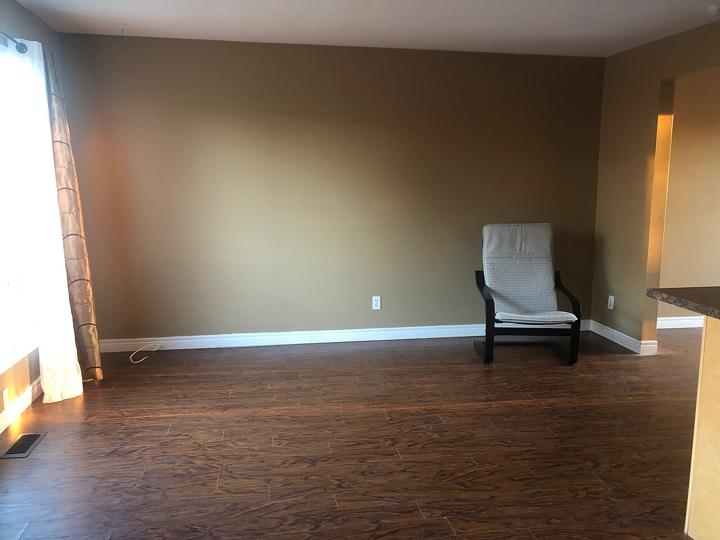
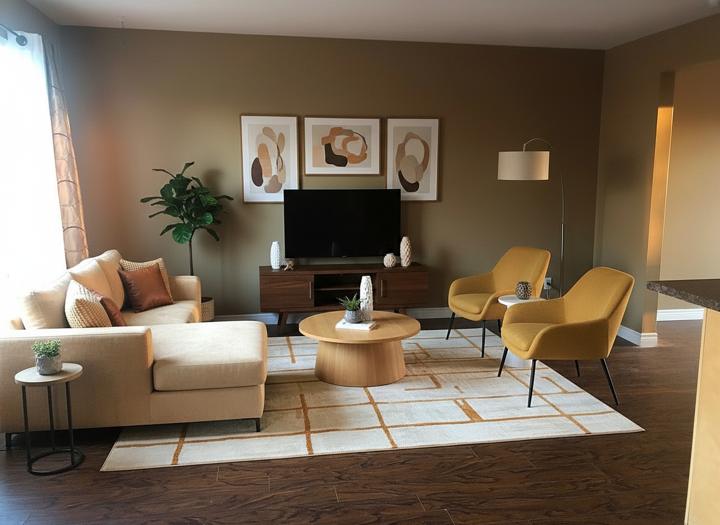
Use it in your listing presentation
Sellers worry about an empty house photographing badly. Bring a before/after from a past listing to the appointment. It answers "how will my place look online?" before the seller asks, and it's something you deliver that the other agent interviewing for the listing won't.
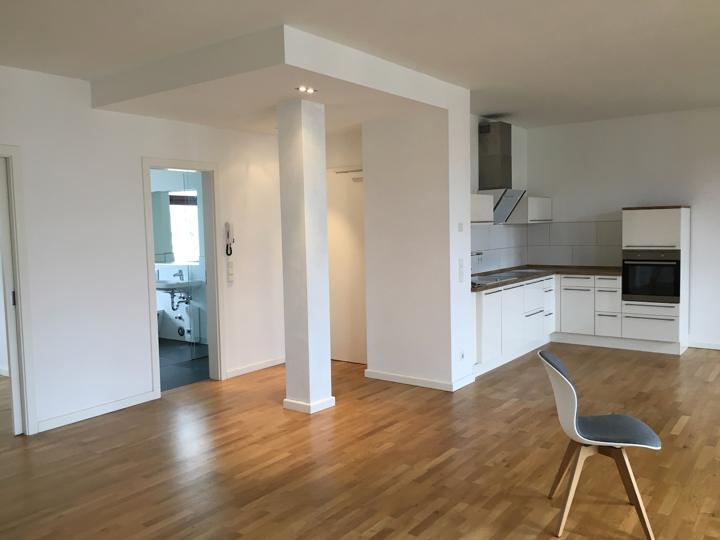
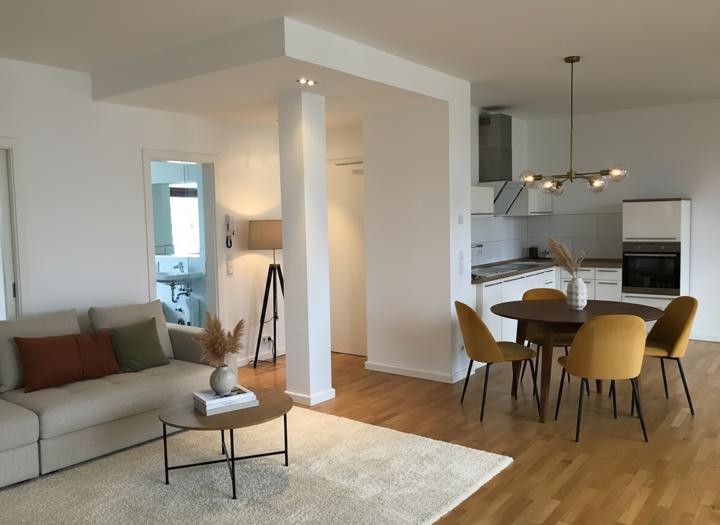
Disclosure stays straightforward
Every delivered image has a version labelled "Virtually staged." The walls, windows, doors and camera angle stay as photographed, so a buyer who tours the house finds the room exactly as pictured, minus the furniture. That's the line most MLS rules draw.
Pricing
One credit = one staged image of about 1,200 px on the long side, delivered as JPEG or WebP. The download includes an MLS version labelled "Virtually staged", a before/after comparison and an unlabelled file.
- Starter: $15 for 5 images ($3.00 each)
- Listing: $39 for 15 images ($2.60 each)
- Agency: $99 for 50 images ($1.98 each)
Each pack is a one-time payment. Credits never expire, and a failed generation never spends one. → See pricing
FAQ
Which version do I upload to the MLS?
The labelled one. Keep the unlabelled file for print brochures where you add the disclosure in the caption.
Can I show the seller two styles before listing?
Yes. Each style is its own image and its own credit, so a warm-modern and a Scandinavian living room cost two credits.
Can my photographer's files go straight in?
Yes: JPG, PNG or WebP up to 8 MB. Export the wide, level frames.
What about occupied listings?
The tool adds furniture to empty rooms. It doesn't remove existing furniture, so use it for vacant homes and for empty rooms in occupied ones.
How many credits for a typical house?
5–8 rooms. The Listing pack (15 credits) covers one house plus a second style for the hero shot.
More: Before and after examples · Staging examples by style · Pricing
More staging guides
For rentals · For vacant homes · Home office staging · Kitchen staging · MLS rules · Cost per photo
Packs and plans are on the virtual staging pricing page.